
CHAPTER FIVE - AMBISONICS, DYNAMIC BINAURAL SOUND & 360° FILMS
This page contains examples for the book Immersive Spatial Sound.
Chapter 1 - How We Create A 3D Soundscape Of The World | Chapter 2 - Binaural Sound | Chapter 3 - Using Binaural Sound In Audio Drama | Chapter 4 - Using Binaural Sound In Theatre | Chapter 5 - Ambisonics, Dynamic Binaural Sound & 360° Films | Chapter 6 - VR, AR, MR & Game Audio Technology | Chapter 7 - Loudspeaker Spatialisation | Chapter 8 - Cinema, Home Cinema & The Rise Of Dolby Atmos | Chapter 9 - Spatial Audio For Music Production | Chapter 10 - Theatre & Concerts
Please wear headphones when listening to these examples.
Before you start listening to examples, check your headphones are working properly by playing this audio clip.
-
There is a little known issue with Bluetooth headphones/headsets. If you are using a set of wireless/Bluetooth headphones, and you select to also use that as the microphone in your teleconferencing software (Zoom, Meet, Teams, Skype, etc) then all audio in your headphones will change from stereo to mono, and is reduced to a really low quality 8kHz sample rate. This is because the Bluetooth data bandwidth is quite low, so if you’re not using the mic built in to your headphones, all that data can be used to provide high quality stereo audio; but if you use the mic, half that data is used for the microphone, and only half the data is then available for the headphone audio. This is a feature of Bluetooth itself, so this applies to Mac’s and PC;s, desktops and tablets, cheap Bluetooth headphones and the most expensive Apple headsets.
You can test this:
connect some bluetooth headphones to your computer.
close all applications.
listen to this track: https://www.youtube.com/watch?v=VnzIIhLNHqg
it should sound super high quality, very stereo and lovely.
Now, open up Zoom or Meet or Teams, and start a new meeting, with the Mic input set to your bluetooth headphones
You should instantly hear the audio in your headphones flatten into mono, and reduce in audio quality to about 10% of what it was.
You can get round this by using wired headphones, Bluetooth headphones that don’t have a built-in mic (quite rare these days) or by using your Bluetooth headphones and selecting to use the build-in computer microphone rather than the headphones’s microphone.
And yes, it does apply to AirPods too.
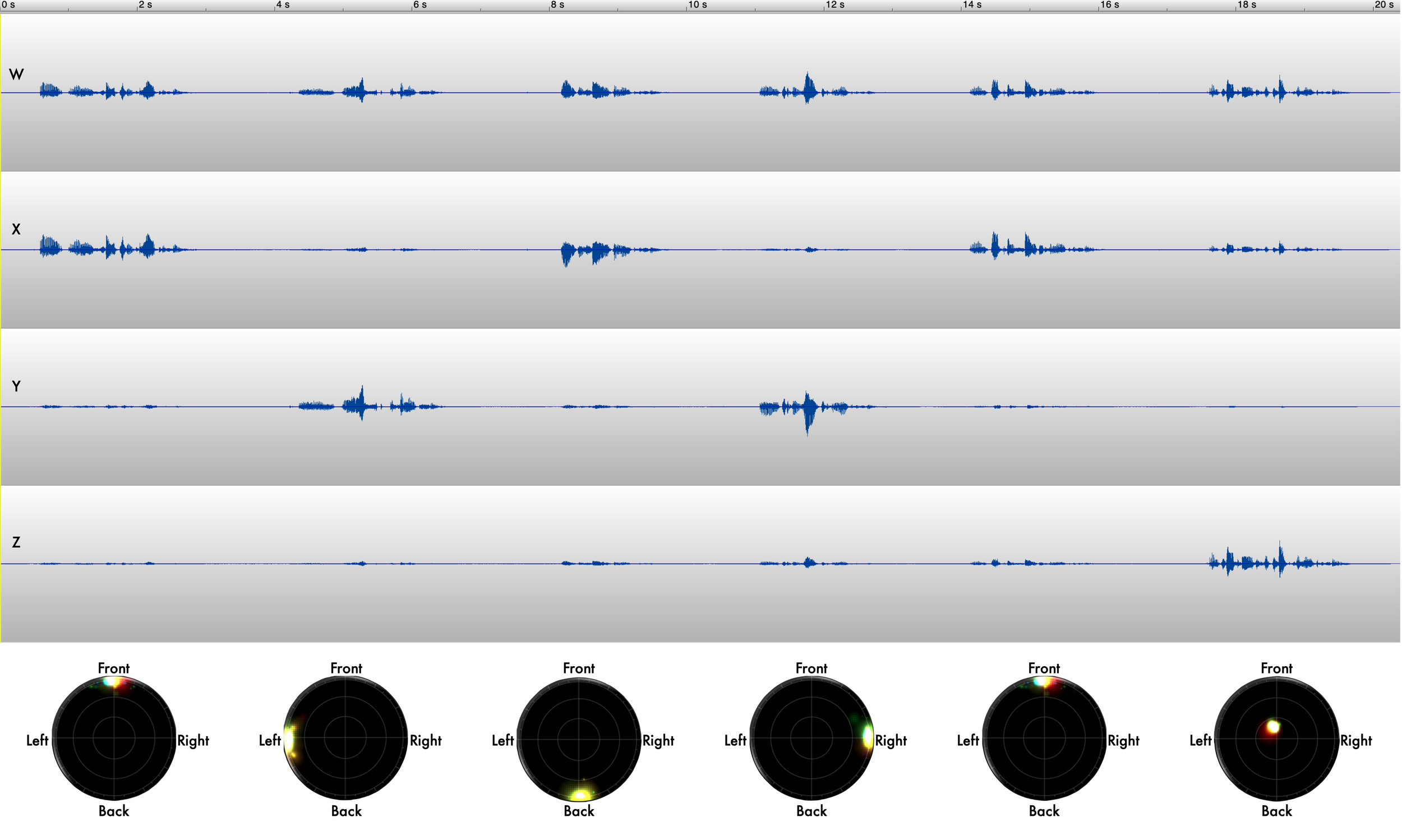
A B-FORMAT FIRST ORDER Ambisonic file VISUALISED
The W channel contains effectively a mono representation of the sound - what would be heard at the centre of the ambisonic microphone.
The X channel contains the front and back spatial data, where a positive amplitude represents in front of the mic, and a negative amplitude represents behind the mic - look at the Front and Back locations on the X channel to see this represented in the waveform below.
The Y channel then represnts to left and right spatial data. The Z channel represents the up and down spatial data. The first 5 sections of the waveform are all parallel to the mic (at the same height) which is why there is little data for this channel. The final section of the waveform is where I’m standing above the ambisonic mic talking into the top of it.
PAGE 79 - AMBISONIC FILE FORMATS
Below are some ambisonic files you can download to experiment with.
It’s a recording taken with a Sennheiser Ambeo ambisonic microphone in endfire mode (horizontal), a Neumann KU100 binaural head, and a lapel mic. The recording is of me walking round and round the microphones. You can use it to test that your ambisonic setup is correctly working.
The raw recordings are provided here:
- A 4 channel A-format recording from the Ambeo mic (Channel 1 is Front Left Up, 2 is Front Right Down, 3 is Back Left Down, 4 is Back Right Up)
- a 2 channel binarual recording from the KU100 binaural head
- a mono recording from the radio mic
Also included is
- a 4-channel B-Format AmbiX conversion of the A Format recording, where Channel 1 is W, 2 is Y, 3 is Z and 4 is X.
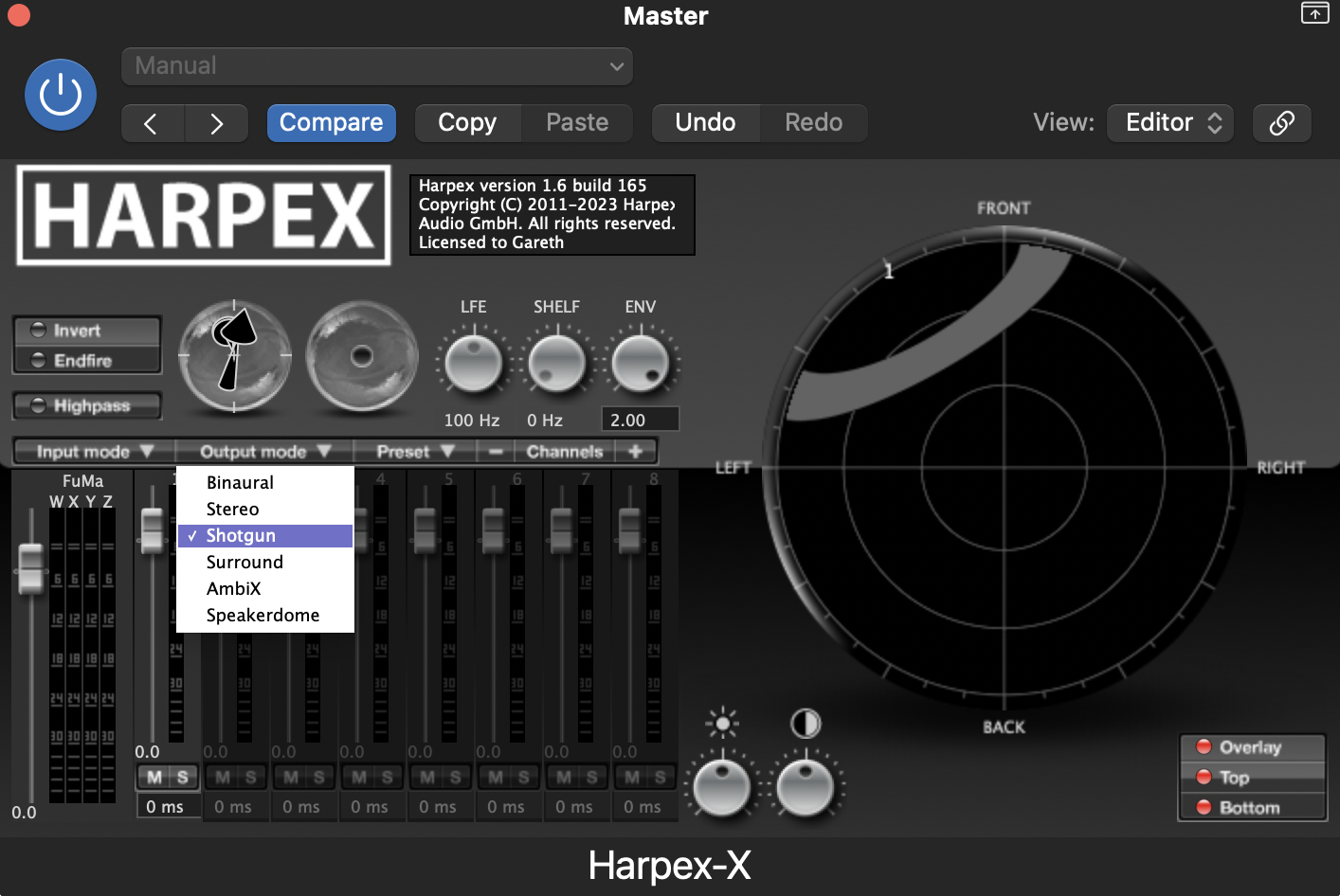
- a Logic Pro session that includes all the raw files, using Sennheirser’s Ambeo A-to-B format plugin to convert the A-format raw recording into B-Format AmbiX. Then there is the Harpex plguin the converts the B-Format to Binaural. Other plug-ins can be used to create a similar effect.
PAGE 81 - CONVERTING TO BINAURAL SOUND USING A VIRTUAL BINAURAL HEAD.

The virtual binaural head looking ahead

The virtual binaural head looking to the left
PAGE 82 - NEARFIELD BINAURAL HEAD VS AMBISONIC MIC
if I whisper into the left ear of an actual binaural head, the physical head mass of the binaural head means that very little sound gets into the right ear. If I whisper into the left side of an Ambisonic mic, there is no head mass to reduce the sound into the right side of the mic, so it doesn’t reproduce that near-field binaural effect so well.
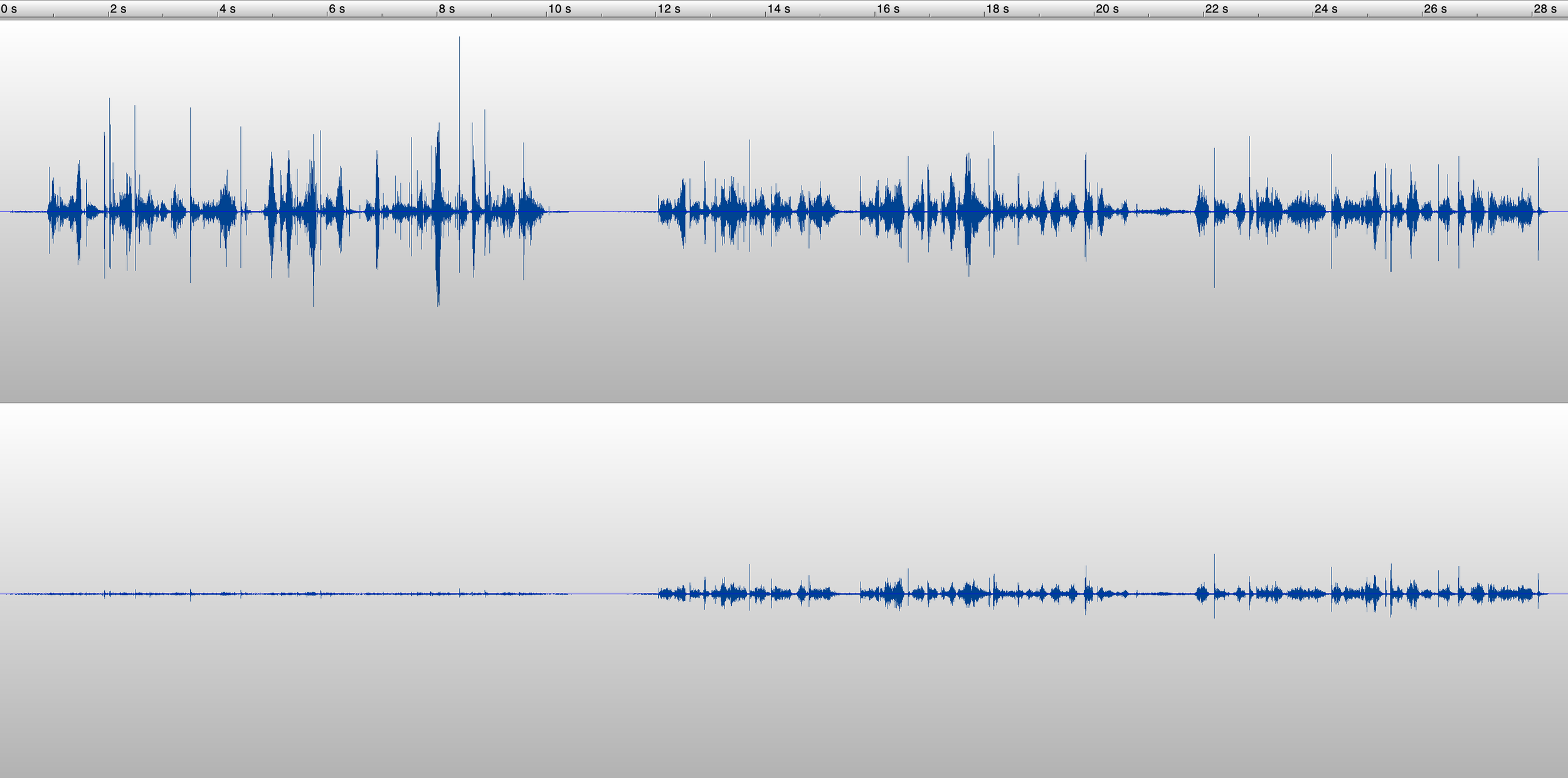
The first ten seconds of this file is me whispering into a binaural head, just into the left ear of a Neumann KU100 binaural head. The rest of the file is a binaural render of a FOA file recorded with a Sennheiser Ambeo mic, processed using Sennhesier’s Ambeo Converter A to B format converter, and then processed using Harpex-X to convert the B-format AmbiX audio into a binaural version, using a Neumann KU100 HRTF set.
PAGE 83 - SIMULATING OTHER MIC TYPES
PAGE 85 - USING AN AMBISONIC PANNER TO LAYER MONO RECORDINGS ON TOP OF AN AMBISONIC RECORDING
FIRST ORDER AMBISONICS VERSUS THIRD ORDER AMBISONICS
Sometimes the increased resolution of HOA is not necessary if what you are recording is not much of a point source.
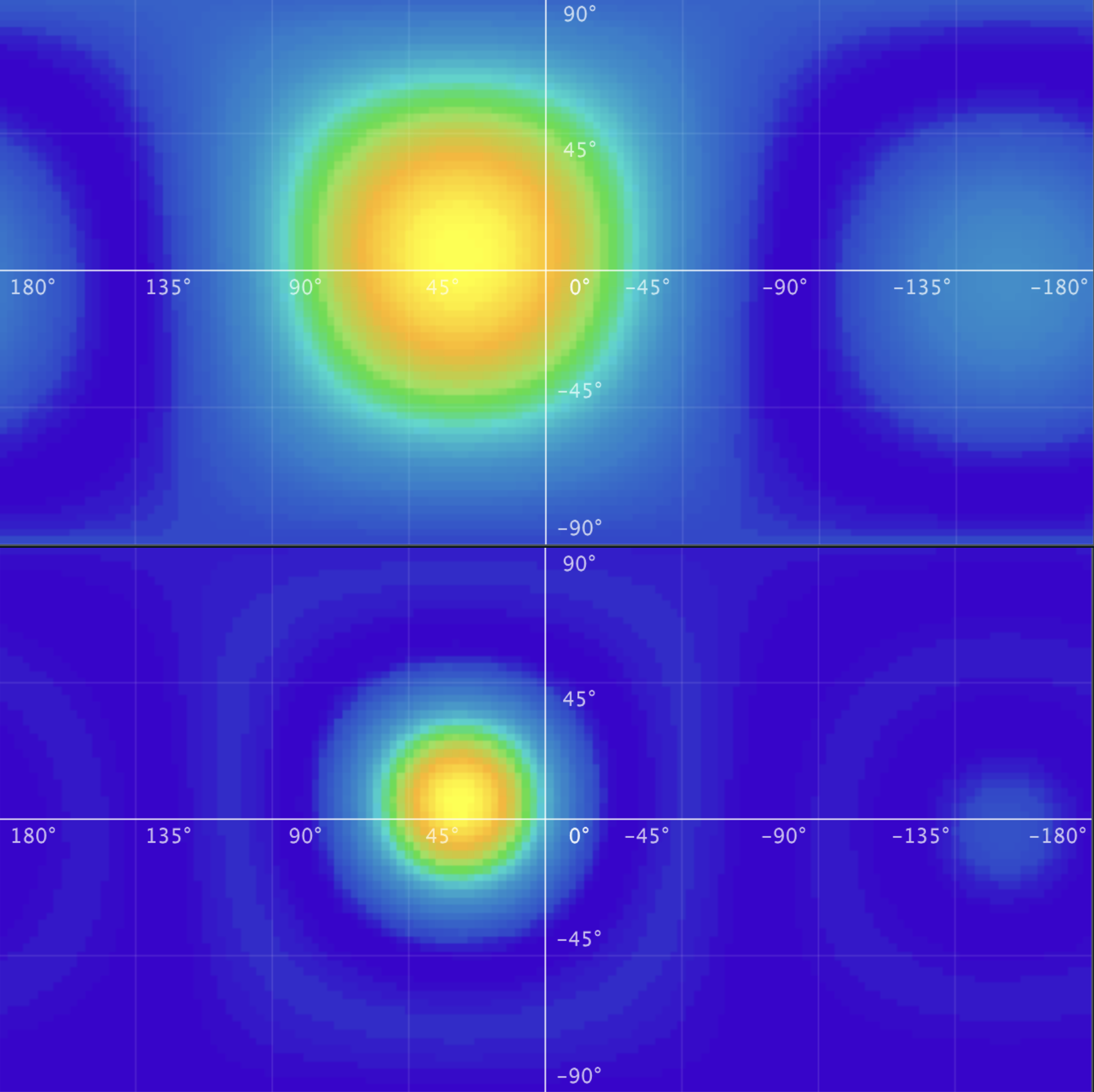
A point source sound panned using a FOA panner (above) and a 3rd order panner (below). The FOA point source is rendered less as a point source and more as a blob in space due to the limited resolution of FOA. Image generated using Sparta’s PowerMap plugin.
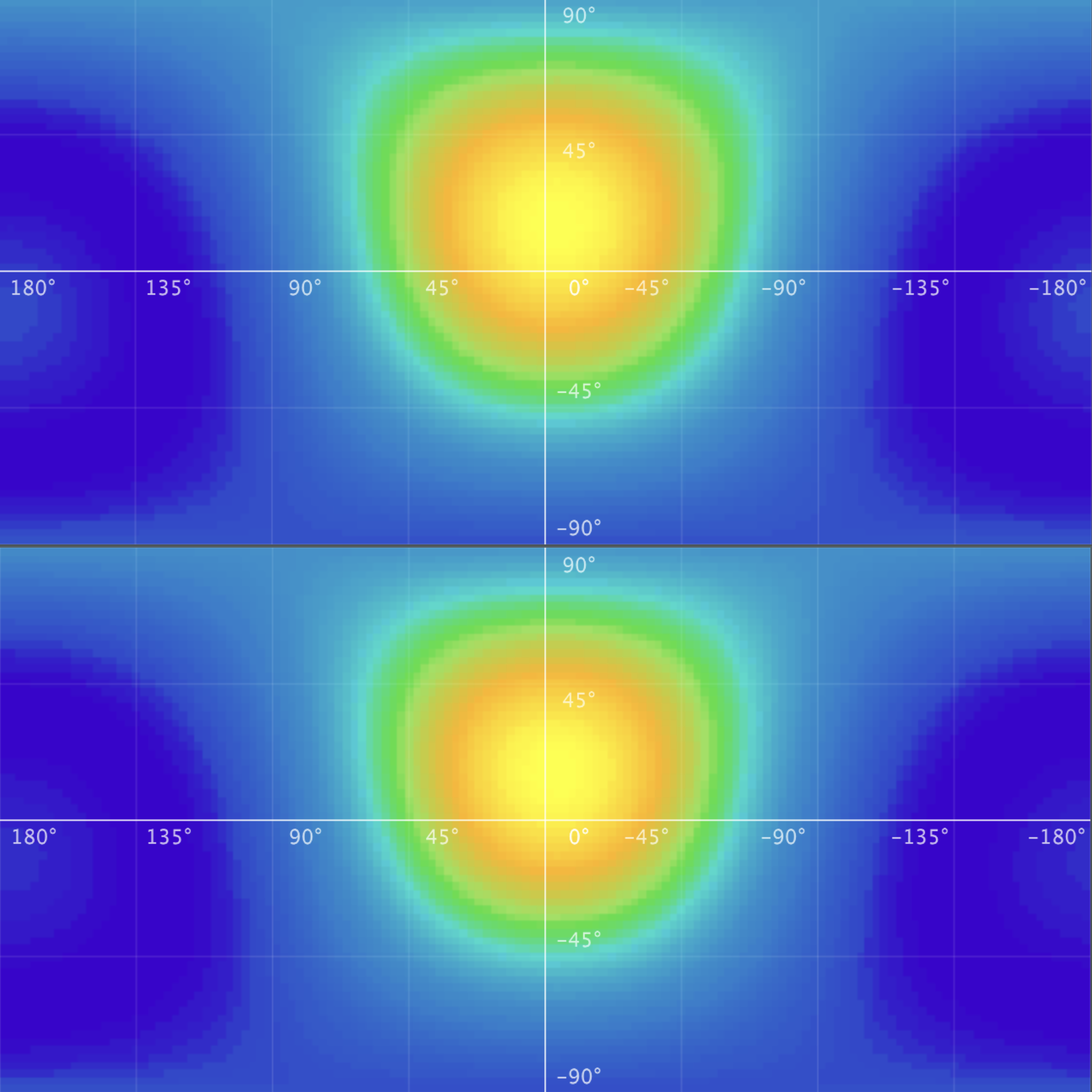
A non-point source sound panned using a 1st order panner (above) and with a 3rd order panner (below). Whilst an 1st order system has reduced resolution, this may not be relevant if the sounds you are spatialising aren’t point sources. Image generated using Sparta’s PowerMap plugin.