
CHAPTER TWO - BINAURAL SOUND
This page contains examples for the book Immersive Spatial Sound.
Chapter 1 - How We Create A 3D Soundscape Of The World | Chapter 2 - Binaural Sound | Chapter 3 - Using Binaural Sound In Audio Drama | Chapter 4 - Using Binaural Sound In Theatre | Chapter 5 - Ambisonics, Dynamic Binaural Sound & 360° Films | Chapter 6 - VR, AR, MR & Game Audio Technology | Chapter 7 - Loudspeaker Spatialisation | Chapter 8 - Cinema, Home Cinema & The Rise Of Dolby Atmos | Chapter 9 - Spatial Audio For Music Production | Chapter 10 - Theatre & Concerts
Please wear headphones when listening to these examples.
Before you start listening to examples, check your headphones are working properly by playing this audio clip.
-
There is a little known issue with Bluetooth headphones/headsets. If you are using a set of wireless/Bluetooth headphones, and you select to also use that as the microphone in your teleconferencing software (Zoom, Meet, Teams, Skype, etc) then all audio in your headphones will change from stereo to mono, and is reduced to a really low quality 8kHz sample rate. This is because the Bluetooth data bandwidth is quite low, so if you’re not using the mic built in to your headphones, all that data can be used to provide high quality stereo audio; but if you use the mic, half that data is used for the microphone, and only half the data is then available for the headphone audio. This is a feature of Bluetooth itself, so this applies to Mac’s and PC;s, desktops and tablets, cheap Bluetooth headphones and the most expensive Apple headsets.
You can test this:
connect some bluetooth headphones to your computer.
close all applications.
listen to this track: https://www.youtube.com/watch?v=VnzIIhLNHqg
it should sound super high quality, very stereo and lovely.
Now, open up Zoom or Meet or Teams, and start a new meeting, with the Mic input set to your bluetooth headphones
You should instantly hear the audio in your headphones flatten into mono, and reduce in audio quality to about 10% of what it was.
You can get round this by using wired headphones, Bluetooth headphones that don’t have a built-in mic (quite rare these days) or by using your Bluetooth headphones and selecting to use the build-in computer microphone rather than the headphones’s microphone.
And yes, it does apply to AirPods too.
PAGE 25 - Comparing microphone pickup patterns
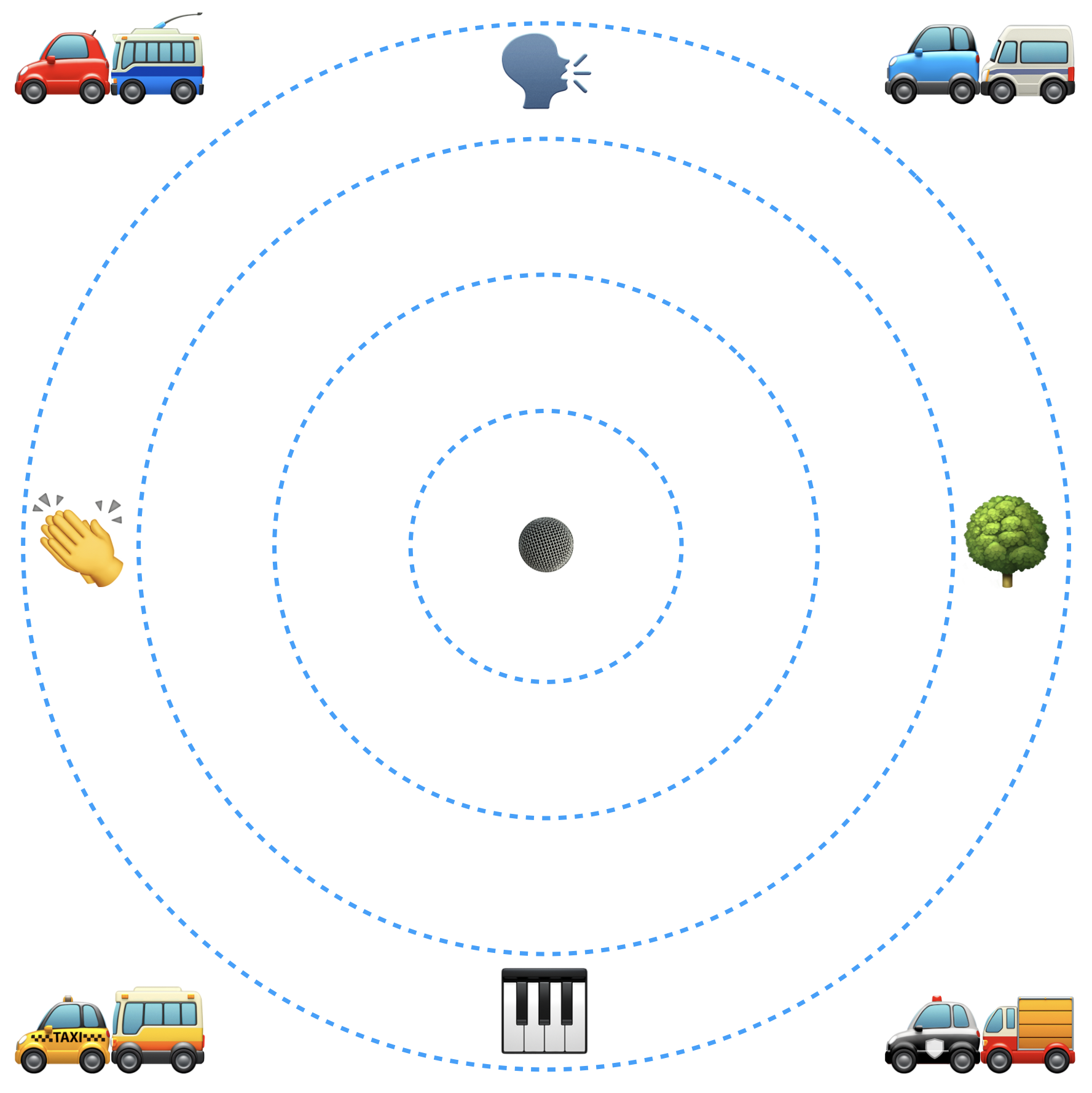
A omnidirectional microphone picks up sound equally in all directions. It is good for creating a sense of everything that is happening all around.
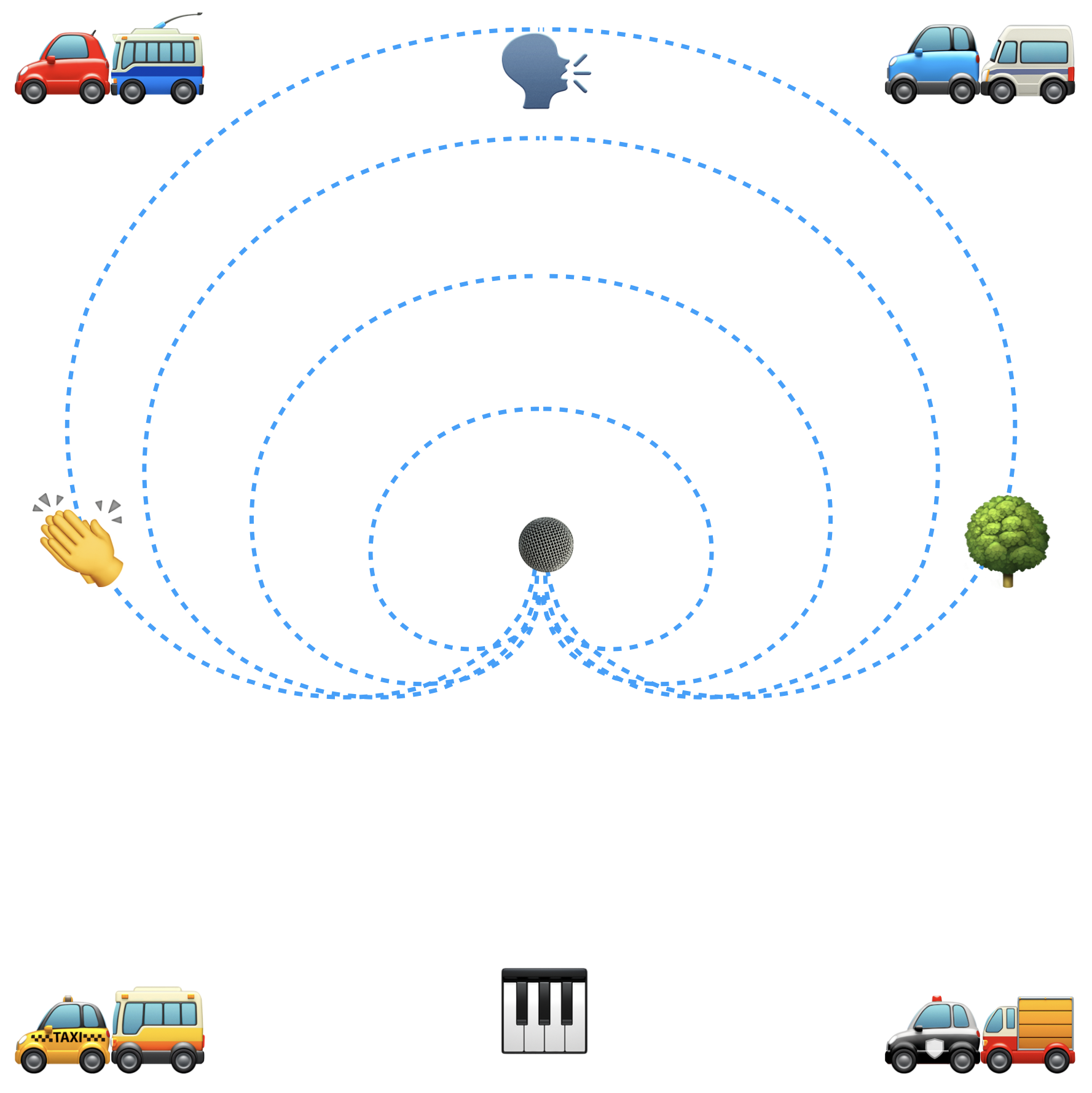
A cardioid microphone picks up sound towards the front of the microphone, and not so much of what is behind it. It’s good for when we want to focus on something in particular but still get a sense of other sounds around it.
A shotgun microphone is very directional. It picks up sound primarily of what you point it at, and some from behind too. It rejects sounds to the sides. It’s goof for when we want to try and record one particular thing in a noisy environment.
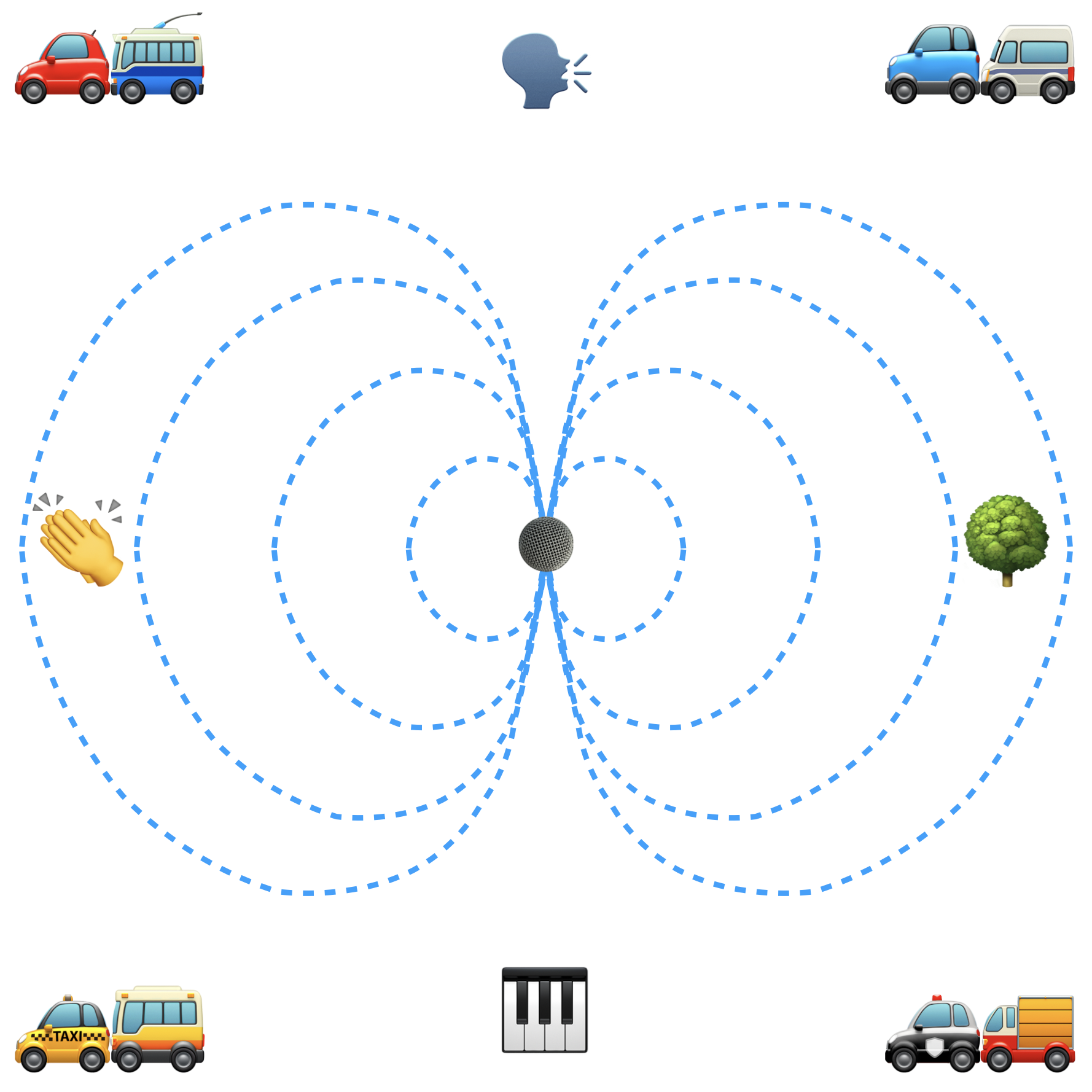
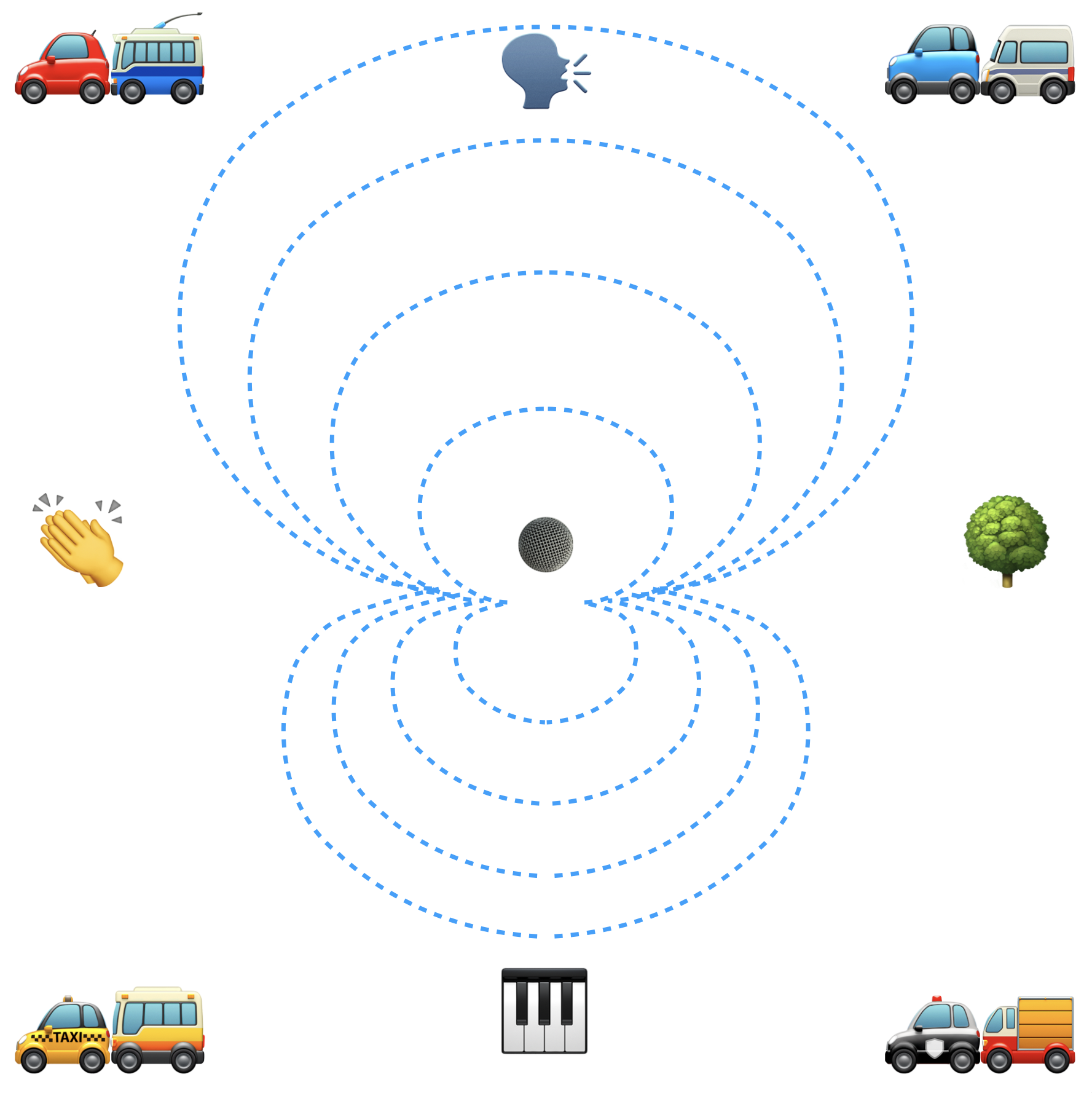
A figure of 8 microphone picks up sound to the sides, and rejects sounds in front and behind of it.
PAGE 27 - Comparing STEREO MICROPHONE TECHNIQUES
There are subtle differences between each technique in this application. For me, the AB is the least powerful in this application.
The wide AB spacing creates a slight gap in the centre of the stereo image, but suits the slow moving car better than the narrower AB spacing would.
The ORTF and binaural recordings are my favourite here, but again it’s fairly marginal.
Here again, the differences are subtle. That’s a skateboarder you can hear, going by.
More info
For more info on stereo mic techniques, check out DPA’s mic university. Larry Seiler has written a great article about the many more complex stereo and spatial microphone arrays you can create.
Voxengo MSED is a great tool for decoding Mid-Side recordings (tip: remember to change the mode from Inline to Decode!)
PAGE 33 - BINAURAL PANNERS - Glastonbury
90% of these sounds aren’t recorded in stereo but I’m using binaural panners to create the effect of binaural sound.